
Microwave Symbols and Settings
Getting to know your microwave
Having opted for one of our modern microwaves you may be wondering what the the different symbols and settings on your microwave mean? We have put together this quick-fire guide to ensure that you are getting the most out of your Bosch microwave. Below you can find out what the symbols on your microwave mean and which programmes should be used for defrosting and cooking particular types of foods. If there's a symbol on your microwave that doesn't appear here, you can find more information by searching for your microwave's instruction manual here
Microwave symbols explained

On/off button
Start button
Timer
Turn your appliance on and off
Use this button to start your appliance
Use this button to set the timer on your microwave

Timer
Stop
90 watts
Use this button to select the timer on your microwave. This symbol may be used on different models.
This button will stop or pause your microwave
Select a micowave power output of 90 watts
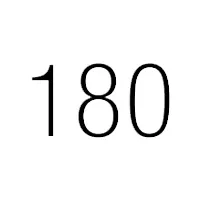
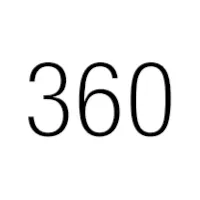
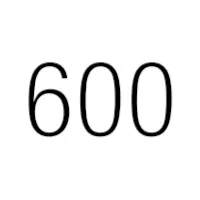
180 watts
360 watts
600 watts
Select a micowave power output of 180 watts
Select a micowave power output of 360 watts
Select a micowave power output of 600 watts
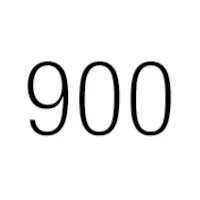
900 watts
Weight
Programmes
Select a micowave power output of 900 watts
Select a weight for the chosen programme
Choose an automatic programme


Weight
Memory
Open door
Select a weight for the chosen programme
Select the memory
Open the door on your appliance
Grilling
Child lock
Information
Select the grill
Activating and deactivating (hold down for approx. 4 secs) the childproof lock
Displays information
Microwave programmes explained
P 01- Defrost minced meat
Weight range in KG: 0.20-1.00
P 02- Defrost pieces of meat
Weight range in KG: 0.20-1.00
P 03- Defrost chicken, chicken pieces
Weight range in KG: 0.40-1.80
P 04- Defrost bread
Weight range in KG: 0.20-1.00
P 05- Cooking rice
Weight range in KG: 0.05-0.2
P 06- Cooking potatoes
Weight range in KG: 0.15-1.0
P 07 -Cooking vegetables
Weight range in KG: 0.15-1.0